Saturday, July 14, 2018

Fitbit Versa Issues

My posts in the Fitbit Forums are getting deleted so I'll post here.


Forums have 3 months worth of posts on incorrect step tracking, bluetooth paring issues, notifications and a really nasty "Connected GPS" issue where the Versa is unable to get the GPS coordinates from the phone and there is no fix or admission of a problem in sight.


I'm going to go to speculate that there are Bluetooth radio, firmware or problems with the antenna on the Versa.  I don't believe they can be fixed via firmware updates and the Versa needs to be recalled.  I'm speculating that with everything crammed in the slim profile (battery, screen, haptic motor, motherboard and chips) and now an aluminum case, there is probably signal loss.


There are bluetooth connectivity problems on many android phones and iOS, so it's not limited to android.


I've worn the Versa simultaneously with an Apple Watch Series 2, LG Watch Sport over the past 3 months to have data to prove the Versa is the problem.


Since day one April 12th, 2018, I noticed within about 2 hours that the Fitbit Versa was not capturing my steps properly and I immediately put my Apple Watch back on to continue to get my steps.


The next day I noticed that the bluetooth notifications were not working for hours at a time, then connected gps issues and then later in the week, my alarms were not going off.


After a firmware update 32.32.10.15 in early May that did not address the main issues, I realize that it was something else going on.


The week of July 8th, 2018, I performed a little experiment with the older, cheaper Pebble 2 with Heart Rate this week.


Step Tracking

It tracks steps accurately without the need for exaggerated arm movements. One step forward, back, side up or down counts as a step. 


Location Tracking

The Pebble App is able to use the phone's GPS to track walks and runs without issue everytime.  


Notifications

Notifications just work.  For some android apps, I can even perform some actions from the Pebble.


Music Playback

Works everytime

No need for a weird Versa Classic bluetooth device being paired.


Alarms

Every alarm this week has gone off correctly

Added plus of smart alarms to wake you up during the appropriate sleep phase within a specified range of your wakeup time


Text Messages

I can actually send text messages from the Pebble 2 via voice transcription, canned responses or emoji.

Anyone else experiencing major issues with their Fitbit Versa that are not being addressed?

Saturday, July 07, 2018

The Marlon Carry-On Review


I’m reviewing the Marlon Carry-On


I recently purchased this from their website during their flash sale. It’s still ongoing and is 50%.   - https://www.marlontravel.co/products/marlon-carry-onhttps://www.marlontravel.co/products/marlon-carry-on

I’ve been following the Carry-On and Backpack for a little over a year since they started the Kickstarter and Indiegogo and the price was right.

You can see The Marlon Backpack Review here:

https://www.youtube.com/watch?v=UtisVpvHApw&t=2s


Pros

A Minimalist's Dream

Dedicated Suit Pocket

Integrated USB-A Ports for Charging

Removable 10400 mAH Powerbank

Large Wheels for easy maneuvering and uneven surfaces

Can expand an additional 15 liters for 60 liters of capacity. This is about 5 more liters of space when expanded that you would be missing in other carry-ons with the same dimensions

Dedicated Suit/Dress Pocket

Cons

No Side Carry Handle

Bulky laptops can make it difficult for the suitcase to close. A 15in laptop will not fit in the sleeve.

Finicky Assisted compression systems.  Doesn’t always open or close with one touch.

Laptop sleeve some more padding

Items In Video

Taskin Simplex XL Packing Cube - https://amzn.to/2Civzyc

Wednesday, July 04, 2018

Happy Fourth of July!


Happy Fourth of July!

TicWatch Pro Coming


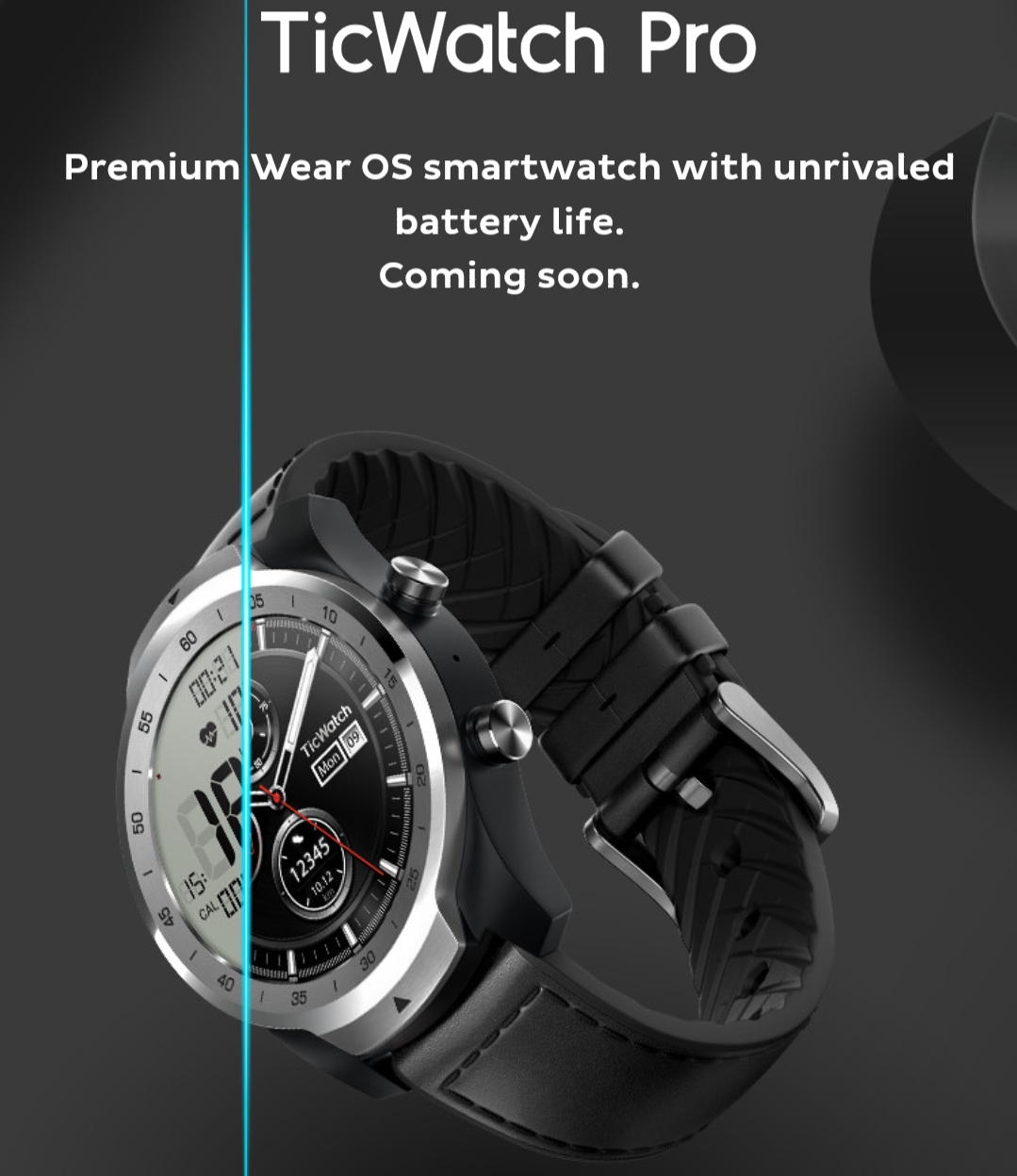
The TicWatch Pro is coming.

Mobvoi's next iteration of the TicWatch, called the TicWatch Pro will be announced in thenext few days.

From the images above and below, it appears to be a hybrid E-ink  and AMOLED screen that a user can select from and possibly a heartrate sensor.


Let's hope the watch has the following features:

Standard Qi Charging
NFC that is capable of using Google Pay
Heartrate Sensor
LTE

If the watch packs the above features then it will be a hot until Google releases it's own Pixel watches in fall 2018 .

Saturday, June 30, 2018

The Marlon Backpack Review


I’m reviewing the Marlon Backpack (Rucksack) I recently purchased this from their website during their flash sale. It’s still ongoing and is 50%. - https://www.marlontravel.co/products/... I’ve been following the Carry-On and Backpack for a little over a year since they started the Kickstarter and Indiegogo and the price was right. Towards the end you’ll see the carry on - https://www.noahswint.com/2018/07/the-marlon-carry-on-review.html Pros Fleece Lined Sunglass and Tablet Sleeve Lots of pockets Collapsable & Expanding Water Bottle Pocket Stow-able Attachment Straps Side Carry Handle Comfortable Memory Foam Padding Can expand an additional 8 liters for 34 Liters of capacity Cons Hidden Zipper Pocket zippers can become separated with a bulky laptop. Bulky laptops can make it difficult for the suitcase connector to go over the handle of a suitcase. A 15in laptop will not fit in the sleeve Shoe compartment takes up a lot of space inside. Flimsy magnetic key holder. It easily comes off Items In Video Cvida 1000 maH Qi Wireless Power Bank - https://amzn.to/2lL5hNq iClever USB-C to USB-C Cable - https://amzn.to/2IDSQf2 ivvi Multi Charging Cable - https://amzn.to/2IF0OVo

Saturday, June 23, 2018

2018 Firetv Cube Info

Some initial information on the identifier and build of the 2018 Amazon Firetv Cube Generation 1 at time of launch.

Out of the box

Identifier: AFTA
Build: NS6220
OS: Android 7.1.2


After Initial Software Update

Identifier: AFTA
Build: NS6221
OS: Android 7.1.2

Saturday, February 10, 2018

Pixelbook Pen Loop

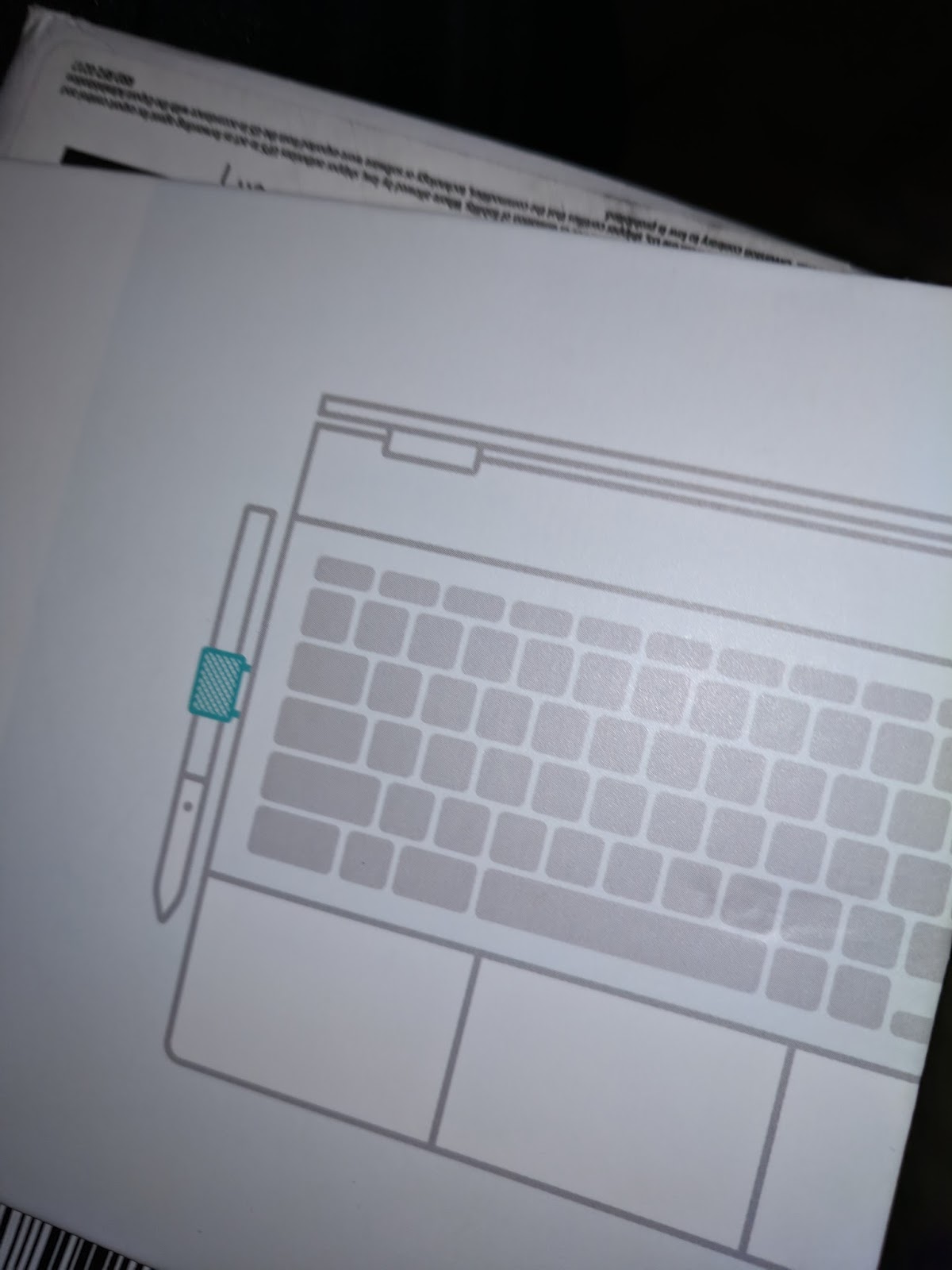
I got my free Pixelbook Pen Loop and it's meh.


That's all.

Friday, November 10, 2017

Is Google Targeting Its New Pixel Lineup To A New Demographic?

With the launch of the new Google Pixel 2/Pixel 2 XL, Pixelbook and Pixel Buds, I began to wonder if Google was attempting to break away from it's Nerd-Chic demographic with the Nexus and 1st Generation Pixel products to a new younger and more Urban Demographic.


Evidence


Verizon Pixel 2 Commercials


1 - Too Many Zoos


Snaps, horns and drums. Very catch and bass driven tune for the yutes to dance to.


2 - Danger Twins


Kazoos, drums, driving guitars and clapping. Again, another tune for the yutes to dance to.


Pixelbook Commercial - Karizma


This is a sample of the gospel classic Jesus Can Work It Out by Diane Williams of the Dr. Charles G. Hayes and the Cosmopolitan Church of Prayer Choir.


At that moment, I figured Google is targeting an audience who normally would have never considered Pixel product before.

I'll continue to monitor, but Google Marketing department, I commend you for marketing outside the nerds for the Pixel Brand of products.  They're receiving much more mindshare in my social circle than I've ever experienced with Nexus and Pixel Products.


Sunday, October 22, 2017

What's In My Bag

I saw a recent Verge Article from Dieter Bohn and thought that people might be interested in what I carry around on a daily basis. I posted a Youtube Video of a Gridit Organizer that I used years ago but that was the last time that I've done something like that.


 Here's everything (minus 2 very important things)


The Bag

Ikea Förenkla Bag - https://goo.gl/GRpumV


Unzipped


Weather Stuff

I live in Northern Virginia about 90 miles from the Mason-Dixon, so I'm in a quasi Southeast, North-Eastern US Bubble.  Summers are Southern Hot with lots of humidity and Winters are not too frigid, but can dump 3 ft of snow in a few hours.  I drive to work most of the time but for those times that I bike or take the metro to work, I need to be prepared.


Bula Balaclava - https://amzn.to/2M7Ek2q

I generally wear it in the hood or mask position. Full out Clava makes me look like a bank robber.


Robber

I'm not wearing a hijab in a display of solidarity with my Iranian Wife


 Robber who can't afford the full mask


Cascade Mountaintech Wool Beenie - https://amzn.to/2LwYXUn
One Black, One Grey


Eddie Bauer - First Ascent Flux Pro Touchscreen Gloves - https://goo.gl/nqDEtU

I can use my phone while wearing the gloves.  Yeah!


Yaktrak  Snow Trax https://amzn.to/2M2j9yF

I haven't used these yet in the snow and ice, but have used the Yaktrak Snow Action Cleats


Eddie Bauer Packable Rain Pants - Product Discontinued


Ikea Knalla Rain Poncho - https://goo.gl/wH1ai7


Ikea Knalla Unbrella - https://goo.gl/vQVVwY


Lifeline First Aid Kit (Discontinued) - http://amzn.to/2gJY1yx


Evelots - Hard Glasses and Contact Case - https://amzn.to/2kX1fRG

One side for glasses and one side for contacts, 2 mini bottles of contact solution, contact picker and a gross mirror.


Laptop

Razer Blade Stealth - https://amzn.to/2RbcTKk

For the first time in about 12 years, I'm using a windows computer.  This is the 2016 model. It has all the ports and power that I no longer have in my Macbook Pro.   That little silver


Entertainment/Games/Camera


Camera

Lumix DMC-LX10K  - https://amzn.to/2sG2fxw

Case

Megagear Leather Case - https://amzn.to/2LzTygq


It's a 4K camera that produces stunning images and video.  It allows you to shoot and focus later. This is all the camera that anyone needs.

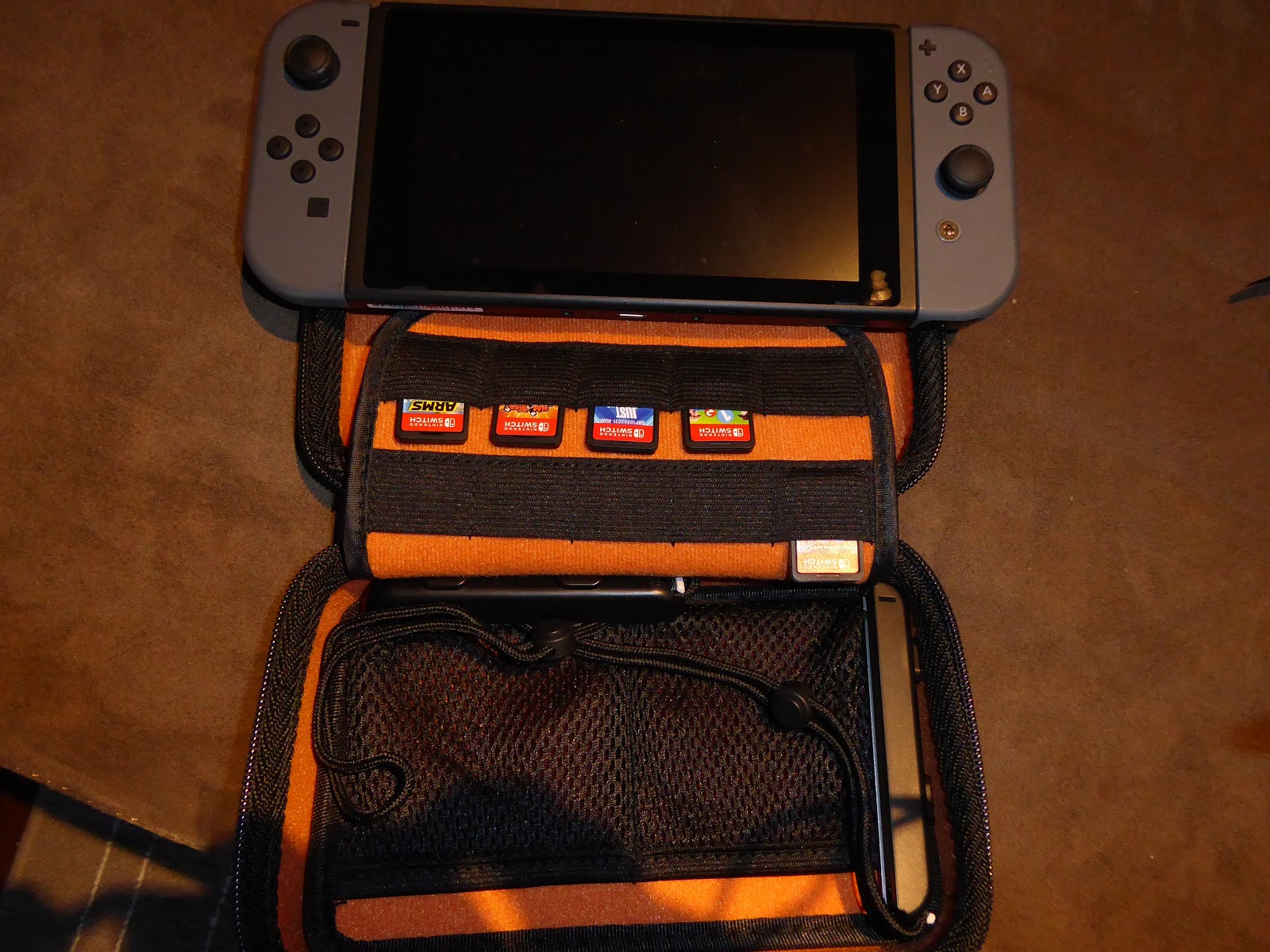
Nintendo Switch - https://amzn.to/2kUe7aX

I think it's finally in stock.  I've had mine since release day

$7 Case that gets the job done - https://amzn.to/2sPM1kS


Power


Ravpower 26800 mAH PD Power Bank - https://amzn.to/2V5GYtO

2 USB-A Ports and 1 USB-C Port.

Enough juice to charge power the laptop which is impressive.


Cables and Dongles 

Standard Lightning and USB-Cable


Random USB Squid -

One of my co-workers got this from a trade show.  It has 30 Pin, 2 Micro USB Ports, 1 Mini USB, and a MFI Lighning Port. I added a Micro USB to USB Dongle on the extra micro usb ports.


#donglelife

TNP USB-C Dongle (Discontinued) - http://amzn.to/2z0UbeM
Minix Neo USB-C Dongle - https://amzn.to/2sGRECx
HyperDrive  USB-C 3-In Dongle - https://amzn.to/2LzHCue


Phones & Audio

Google Pixel 128 GB Quite Black - https://amzn.to/2JEBhQH


iPhone 6 128 GB Space Gray - https://amzn.to/2sGSwHj


Plantronics Voyager Legend Bluetooth Headset and Case - https://amzn.to/2Jlqs6P

It's time for a new one, but I've been using this for 5 years.  People report that I sound like I'm speaking in a whisper on this thing.


Paper

Pen/Stylus Combo and a Leather bound notebook for those rare times I need to use a dead tree.


Pi  Vpn Access Point + Battery

Raspberry Pi 3 - https://amzn.to/2JsMjp0
Very Good Electronics Battery Pack For Raspberry Pi - https://amzn.to/2sPNho3
Clear Raspberry Pi 3 Case - https://amzn.to/2Jktpoj
Kootek Raspberry Pi Wifi Dongles - https://amzn.to/2JDgJIh
Raspberry Pi Heatsinks - https://amzn.to/2sR7CJy

The thing that I forgot to show.  I travel with a Raspberry Pi that acts as an access point and VPN router.

What that means is that I can plug this into the Hotel Ethernet or Wireless and allow my laptop, phones, Switch and camera to connect thru it. Also the traffic is going thru a VPN so other guest in the hotel can spy on my traffic.


Backup Bags


Additional Ikea Förenkla Bags if I need to go lighter or carry two laptops.


Saturday, August 19, 2017

Blocking Ads with Squid and Unbound DNS Server

Read Up On The Following First To Understand What's Going On Blocking Ads With Squid http://pgl.yoyo.org/adservers/#withsquid Blocking Ads With Unbound DNS Server https://github.com/KhaineBOT/DNS-Unbound-Blocklist-Downloader I added this section to my squid configuration
## disable ads ( http://pgl.yoyo.org/adservers/ )
acl ads dstdom_regex  "/yoursquiddirectoryhere/ad_block.txt"
http_access deny ads
#deny_info TCP_RESET ads
I ran the script provided on the http://pgl.yoyo.org/adservers/scripts/squid/update-squid-adservers.txt With modifications for my squid proxy server and it restart squid. Ads blocked. While the proxy is good defense. Some of the ad networks are using https and dns to get around proxies and firewalls. So another way to block is using your dns server. I made a few modifications to my Unbound Config to add an include statement to now read the file from the python script
include: "/etc/unbound/local-blocking-data.conf"
I ran the python script and it restarts Unbound https://github.com/KhaineBOT/DNS-Unbound-Blocklist-Downloader To periodically update new domains that get added to the lists on the Adserver Lists, I added the scripts to the crontab to run nightly Crontab Entries
#ad block section
%nightly,random * 23-6 /root/ad_block.sh >> /dev/null 2>&1
%nightly,random * 23-6 /usr/bin/python /root/dns-unbound-blocklist-downloader.py

Monday, May 11, 2015

Razer Forge Tv Unboxing

Razer Forge Tv Unboxing


Full Review Coming Later
Sorry for the iphone shaky cam.  I tried to do this over lunch.

Saturday, November 29, 2014

Skip The Ipad For Taking Family Photos And Videos This Holiday Season

So it finally happened.   I received pictures from a family Thanksgiving Dinner taken from an iPad that are so disgusting to look at I would have rather for them to not have been shared with me. I normally would be the person taking the photos and distributing digitally or on the rare occasion the physical print.

I'm going to say it again: Never take family photos and videos from a tablet! That includes all iPads, iPad Mini, Galaxy Tabs and all Android variants.


Here is why:


The image sensor that converts red, blue and green light into an electronic signal on most tablets is usually very simple and bland without going into details on signal processing and color separation.  It takes that signal and plots it into a 1024 pixel width x 768 pixel height image.  That equates to 786,432 pixel or .8 Megapixels.  This is not what you want.  .8 Megapixels is of the quality that digital cameras were producing 20 years ago. Regular 35mm film produces somewhere between 4 and 16 Megapixels depending on the quality of film used.


So you've already gone down in the pixel count substantially and you now have to factor in noise and digital compression.  What you see on the large display screen is not what is saved on your device.  What is happening while the image is being displayed on the screen is the display is receiving raw video and images from the image sensor in near real time.  When the shutter button is pressed the digital signal processing and occurs in the sensor a compression algorithm is applied to reduce the size of the file stored to the device.  Usually the compression algorithm applied is high lossy compression and the detail captured is lost to make the file size portable.  If look at the picture below you can see that there is a loss of detail on the water bottles, cake, salad and there is a great deal of noise in the picture as well.  


The main problem with this photo is the iPad sensor is that it's unable to adjust the exposure  due to the light in the background and all detail is lost on the faces in the photos.  Most modern point and shoot cameras can detect smiles or faces and can handle all the exposure and saturation settings.


I strongly recommend capturing moments using a modern point and shoot camera with 16+ Megapixels.  Also, most of these cameras can also take video and images simultaneously.  I do not recommend high end smartphones even though it is possible to take high quality photos, it requires a great amount of skill with framing, light composition, tweaking of exposure settings and minimizing movement of the smartphone operator to get the best shot. This is a bit to much work for the average user and a point and shoot can take out most of the complexity of shot composition for the average user.


Now that I've said all of that; you can share those digital moments using your iPad with a Camera Connection Kit.  This will allow you to share images from either the memory card from the point and shoot camera or the usb cable included with your camera which attached to the camera if you don't know how to take the memory card out.


I feel that most low technically skilled users utilize iPad for taking videos and photos because it takes the complexity of navigating the file system of operating systems and attaching files and photos using an email client.


It's 2014 and I have family members who are still unable 1) navigate a file system to save and retrieve  an image  and 2) use a local mail client and/or webmail in windows to and navigate the the file system to attach and image.    These are basic skills that should have been learned by users decades ago but this simplicity and ease of use takes fine grained control away from the user and are left with less than desired photos.  You need to figure out which connector you have:  30 Pin or Lightning and buy the appropriate connection kit.


Thursday, November 20, 2014

Plex Home. The end of an era.

I know I'm going to receive a lot of hate mail about this. But I too a screenshot before my comment gets removed on Google+.  Bait and switch requiring a Plex plass subscription is not a good look  Plex. 

Saturday, November 01, 2014

48 Hours With The Microsoft Band


Day 1

I ordered the morning on Oct 30th but there was no anticipated ship date thoughout the day.  After lunch on the east coast I noticed bloggers were posting photos online of lines at Microsoft Stores across the country and I read that they were being sold in stores. So I called the local Microsoft store when I got home from work and they had the small band in stock.  I’ll be there in 30 minutes, will there be enough stock? His answer was yes, c’mon down.


Upon arrival all the small bands were *not* in stock and I tried on the medium band and it was acceptable on the tightest clasp setting.  It was tight enough on wrist but I could look down into the band and see gaps.


I purchased the medium band, downloaded the Microsoft Health App while the transaction and bag packing occurred and rushed back to my car to set the band up.


Setup was fairly simple.  I first plugged the included usb charger into my usb port in my car and to the pogo pins (mag safe-ish) on the underside of the watch and it turned on.  There was typical bluetooth pairing, pins, etc.  45 seconds later it was done.  I paired the band with the app and started customizing and connecting to the connected apps.


I left the mall parking lot and drove home.  The haptic vibration motor is *very* strong.  I actually was a little started with notifications.  Calendar notifications definitely get your attention.  I took in a movie late in the evening and notifications discretely came in and were not obnoxious nor disturbing in a dark theater.  I discretely looked down at my wrist at the notification and either manually pressed the sleep button or just turned my wrist over.

I worked out after the movie and the data captured was fairly accurate.  I was shocked that was was gathering estimate reps completed!.  My ending heart rate was not able to be calculated.  I don’t know if that was because I was sweaty or the band wasn’t tight enough with loss of water weight and/or sweat.

I took the band off to shower.  I watched the news and it was time for to sleep.  I hit the sleep icon and action button and I was in light sleep within 6.5 minutes.  What was disturbing was that I “woke up”  6 times throughout the night and my sleep was only 91% efficient.  But I burn a whopping 487 calories while I sleep.


Day 2

Early work day.  I didn’t miss a meeting because I was promptly alerted by the calendar for a pending meeting.  I didn’t need to look at my phone for notifications.  I could discretely see what was going on with a slight glance of my wrist.  Nothing more to report here.


I completed a quick workout before bed and it was very accurate.  Ending heart rate was captured this time.  However, the data synced to run keeper only contained duration and calories burned.  Major bummer there. Shower then sleep.  95% efficient sleep with only 3 wake ups.


Day 3
I completed sleep tracking took the band off to shower and I forgot it on the night stand.
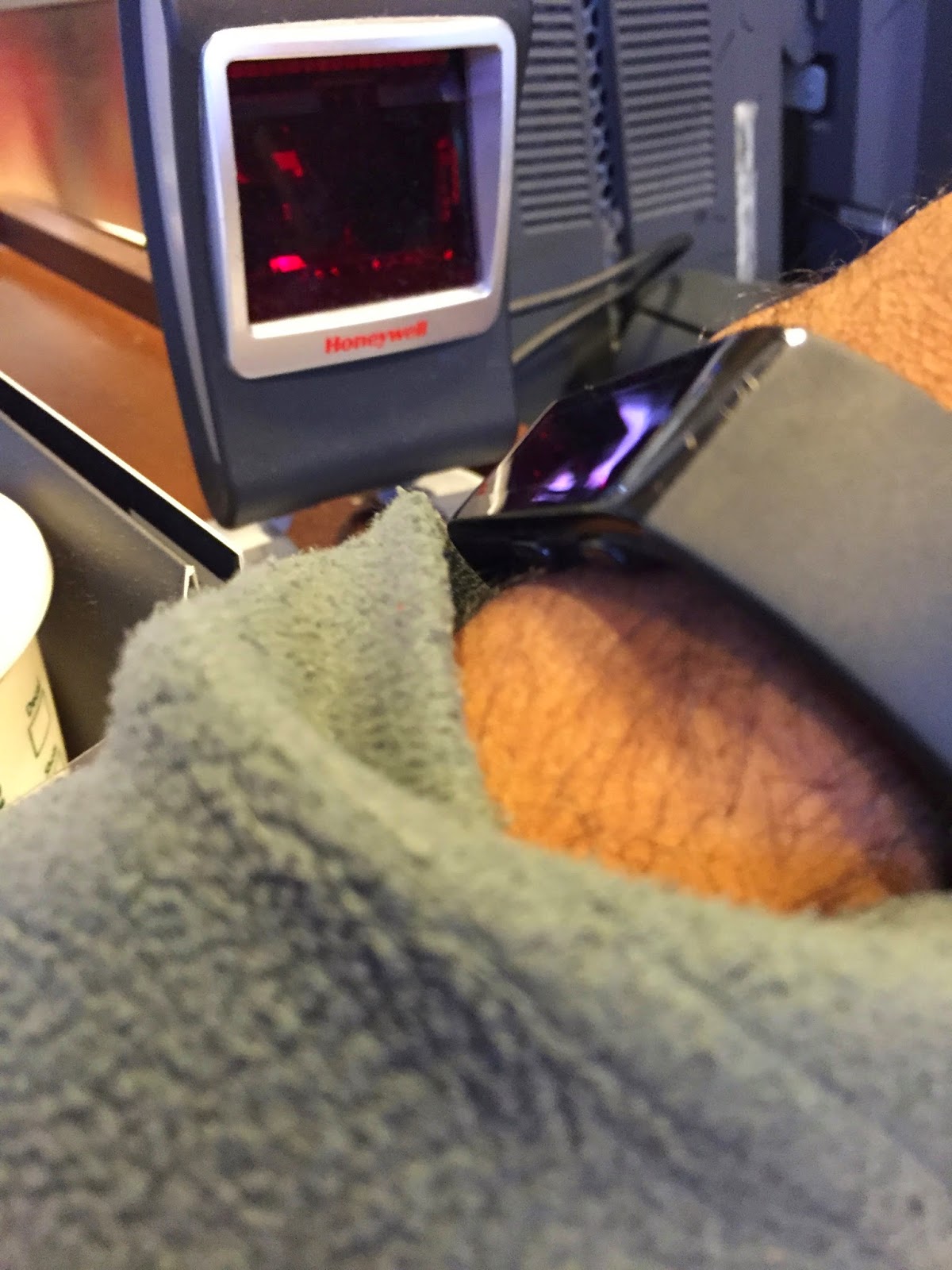
I finished running errands and put the band on upon returning home and decided to go to Starbucks and test out the Starbucks Card QR Code Functionality and it worked.  I turned the band around with the display facing out and scanned it up to the reader and boom it worked.  Major win.  I can now be wallet-less and now phone-less to get my Starbucks Fix!


With enough caffeine I tackled a 2.5 hours and 2.30 miles in Ikea.  What’s sad and disturbing is the capturing of only 320 steps in an hour.  That accounted for me waiting in line and walking to my car.


Currently I’d give the Microsoft Band a B+ or a 86/100.  It got a lot right and some minor things wrong.  By now if it was a dud I would have taken the thing off and banished it to the junk drawer but I’m still wearing it and hoping for great things from the device.  The time before the Apple Watch comes out it critical for Microsoft.  If they can add some polish to the UI and sync apps.  It could be a great Apple Watch contender.


Pros:
Device came almost fully charged
48 Hour Battery Life
Strong Haptic Vibration Motor
Hypoallergenic Silicone/Rubber Coating
Great BT LE 4.0 Power Management


Cons:
Bulk - (I’m wearing the medium band on the tightest clasp setting)
Not Water Proof
Health App
My Zagg Screen Protector that was supposed to be included was missing in my bag
Physical Action Button Required for Certain Activities - Touch UI should accomplish most of this
Wonky UI
No Direct iOS Healthkit Integration
Health iOS App takes a battery hit with the continuous background syncing
UV Detector Didn't Seem to pickup any UV Radiation :-(


Current Connected Apps/iOS HealthKit Integration Status

HealthKit Integration is done by syncing workout duration currently and it might trickle into Healtkit.  I have Runkeeper and MyFitnessPal connectivity setup and not all the activity data is being synced.  I can manually enter the active calories burned but it’s a pain.   You cannot currently use the Microsoft Band as an external heart rate monitor using MyFitnessPal.

My recommendation for Microsoft would just be to continue to use the MyFitnessPal and Runkeeper partnerships but start logging the data directly to Healtkit.  It’s easy to gather the data and let the partners consume what they want but all the valuable fitness metrics are being lost.  The following values can go right into HealthKit and the apps can pickup the data for their logging,dairy etc from the devices as well:

*Active Calories
*Cycling Distance
*Electrodermal Activity
*Heart Rate
*Number of Times Fallen
*Resting Calories
*Sleep Analysis   - A Major Plus for Me
*Steps
*Walking + Running Distance


I do have a Small Band Coming in the mail sometime next week.  So the fit issues might be resolved come Wednesday.

Supposedly HealthKit Integration is coming but it should have been there on day one.


Some Warnings and Frank Criticism for Microsoft.  Please milk Cortana for all that she’s worth but please do not neuter the Voice Features for iOS and Android.  Simply allow the microphone to be used a handsfree device and let it trigger Siri and Google Now respectively. If you disable this in favor or Cortana notes, etc; people will not buy your device.  Right now there is integration with iOS and Android and that is perfect.  Just sync the data and display the notifications and go! Work with Apple and Google to figure out how to properly integrate with their Health Offerings with the data that you collect and you don’t have to frustrate customers working with third party app makers and their limited APIs.  Figure out how to get the heart rate data sent to MyFitnessPal or RunKeeper